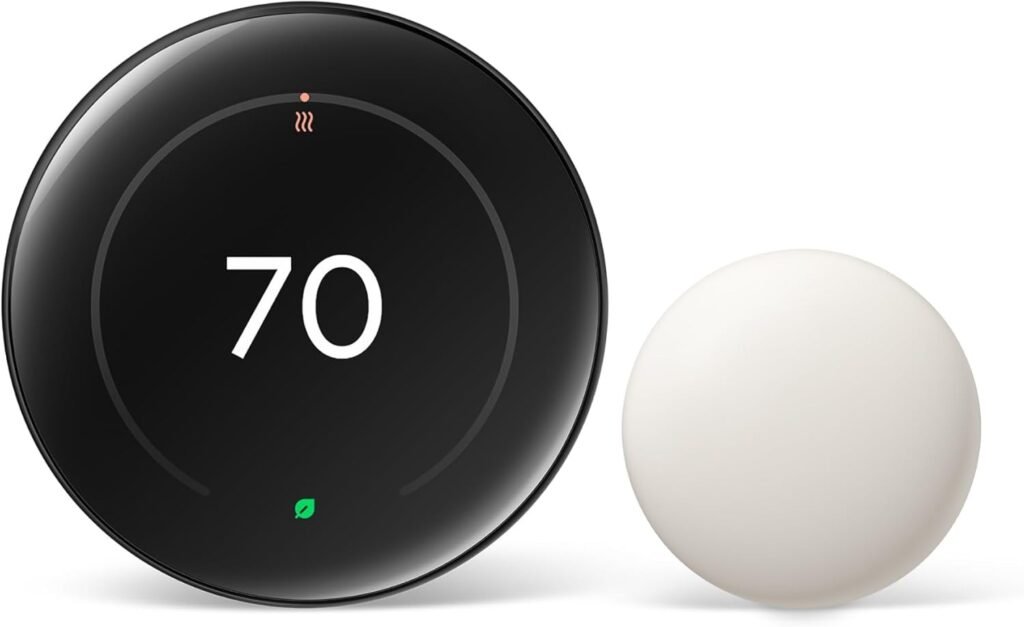

The Nest Learning Thermostat (4th gen) builds its own heating and cooling schedule from the temperatures you set in the first week or two. It lists at $279.99, often sells for about $239.99, and includes a room sensor so the bedroom or nursery sets the temperature instead of the hallway.
How fast would the Nest Learning Thermostat pay for itself? Run your numbers in my smart thermostat savings calculator.
Will it work with your system?
- Thin, colored wires in small terminals: that’s a 24V system and it works, including gas, oil, electric forced air, heat pumps (with aux heat) and radiant, up to 3 heating and 3 cooling stages.
- Thick wires with wire nuts, or “120V/240V” on the old thermostat: it won’t work. That’s usually electric baseboard heat.
- Not sure: Google’s online compatibility checker takes 2 minutes with your wire labels.
How much it saves
Google reports average savings of 10 to 12% on heating and 15% on cooling, about $131 to $145 a year. You’ll save more if your old thermostat sat at one temperature all day, and less if you already set it back at night. Many US utilities offer a rebate on ENERGY STAR thermostats like this one, so check before paying full price.
How it compares
| Nest Learning (4th gen) | Ecobee Smart Thermostat Premium | Amazon Smart Thermostat | |
|---|---|---|---|
| Typical price | About $240–$280 | About $220–$260 | About $60–$80 |
| Room sensor included | Yes, temperature only | Yes, temperature + occupancy | No |
| Learns your schedule | Yes | Partly (occupancy-based) | No |
| Built-in voice assistant | No | Yes, Alexa | No |
| Works with Google, Alexa and Apple | Yes, via Matter | Yes | Alexa only |
| Best for | Hands-off homes, mixed smart home systems | Larger homes with rooms that sit empty | Basic scheduling on a budget |
See my Ecobee Premium and Amazon Smart Thermostat reviews.
Want to see other Thermostats? Compare them side by side →
How I researched this: Google’s specs, compatibility and savings documentation, independent reviews from TechHive and Tom’s Guide, and owner reports. Prices checked September 28, 2026.
Google Nest Learning Thermostat (4th Gen)
Google Nest Learning Thermostat (4th gen) review: auto-scheduling, the included room sensor, C-wire needs, real price and how it compares with ecobee.
Product Brand: Google Nest
4


